A private AI workspace for your documents.
Point it at your folders. Ask anything. Everything stays on your machine, with local or cloud AI, your call.
No account, No subscription.
- Thousands
- of documents per library
- 0
- stored on our servers
- 3
- OCR engines for scans
- 20
- file types read
Ask your documents anything.
The things you can never find, answered from your own files, with the file and page they came from.
When does my car insurance renew?
September 12, and the premium is up $240 from last year.
- geico_auto_policy_2026.pdfp.1
- geico_renewal_notice.pdfp.2
Illustrative examples.
Stop re-uploading your documents.
A chatbot knows the files you paste into each chat. DocBox works on the folders you already have.
I don't have your lease in this conversation. Could you upload it?
Yesterday: the same three files
- Finances48
- Insurance12
- Agreements9
- watching, auto-syncs
When does the lease end?
August 31. Give 60 days' notice by July 2.
Related in your library
- Upload the same files into every new chat
- Knows only what you pasted this session
- Guesses when it doesn't know
- Point it at folders once; they stay watched and synced
- Answers from your whole library, cited to the page
- Says it can't find it, and never invents an answer
Three steps. The third one is asking questions.
Add a folder. DocBox reads every file in it, scans and photos included. Then ask, or just open the app and see what's due.

You don't have to remember what to search for.
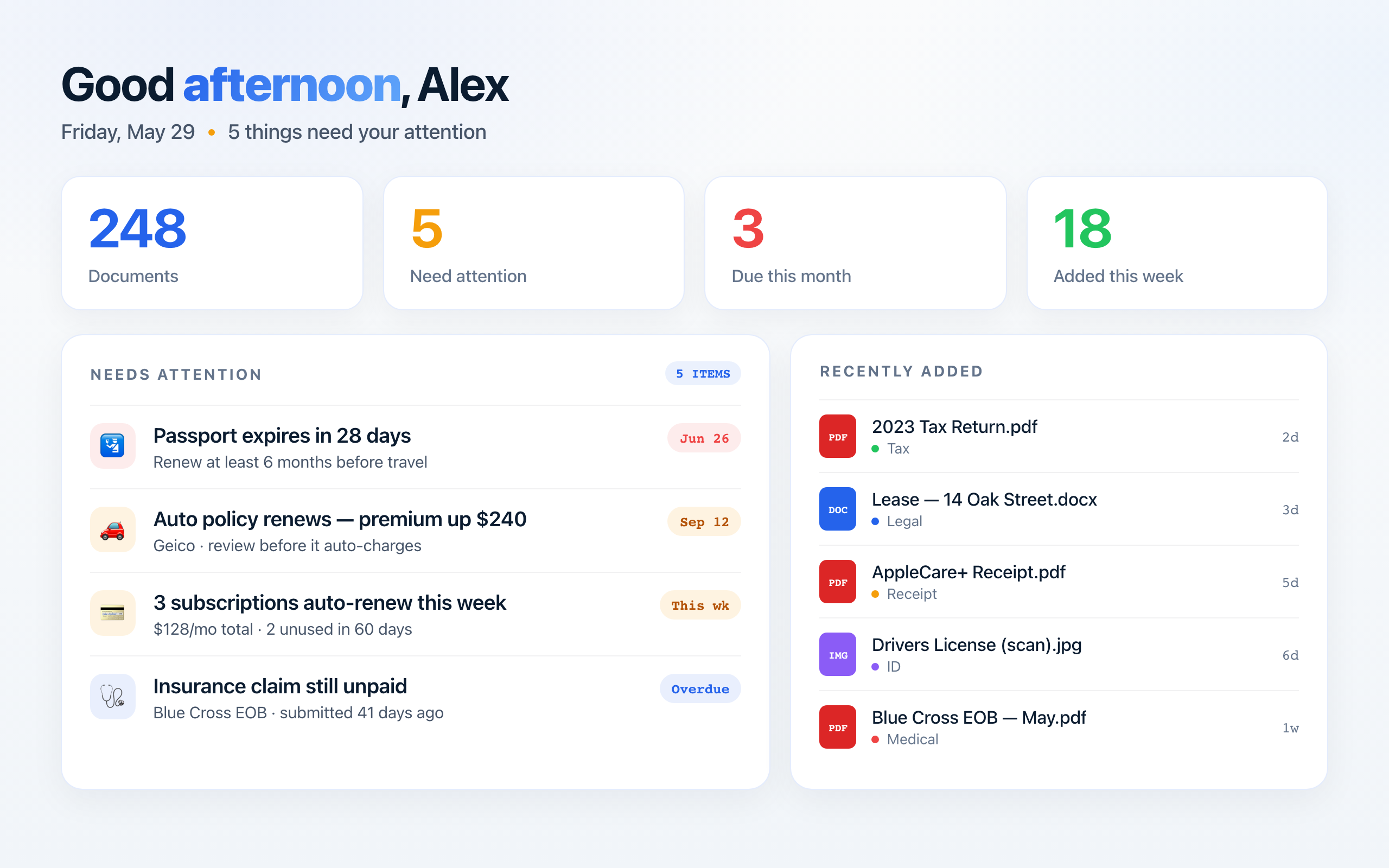
Deadlines, renewals and expiring IDs, pulled out of your files and put in front of you.
Not a search box. An understanding of your files.
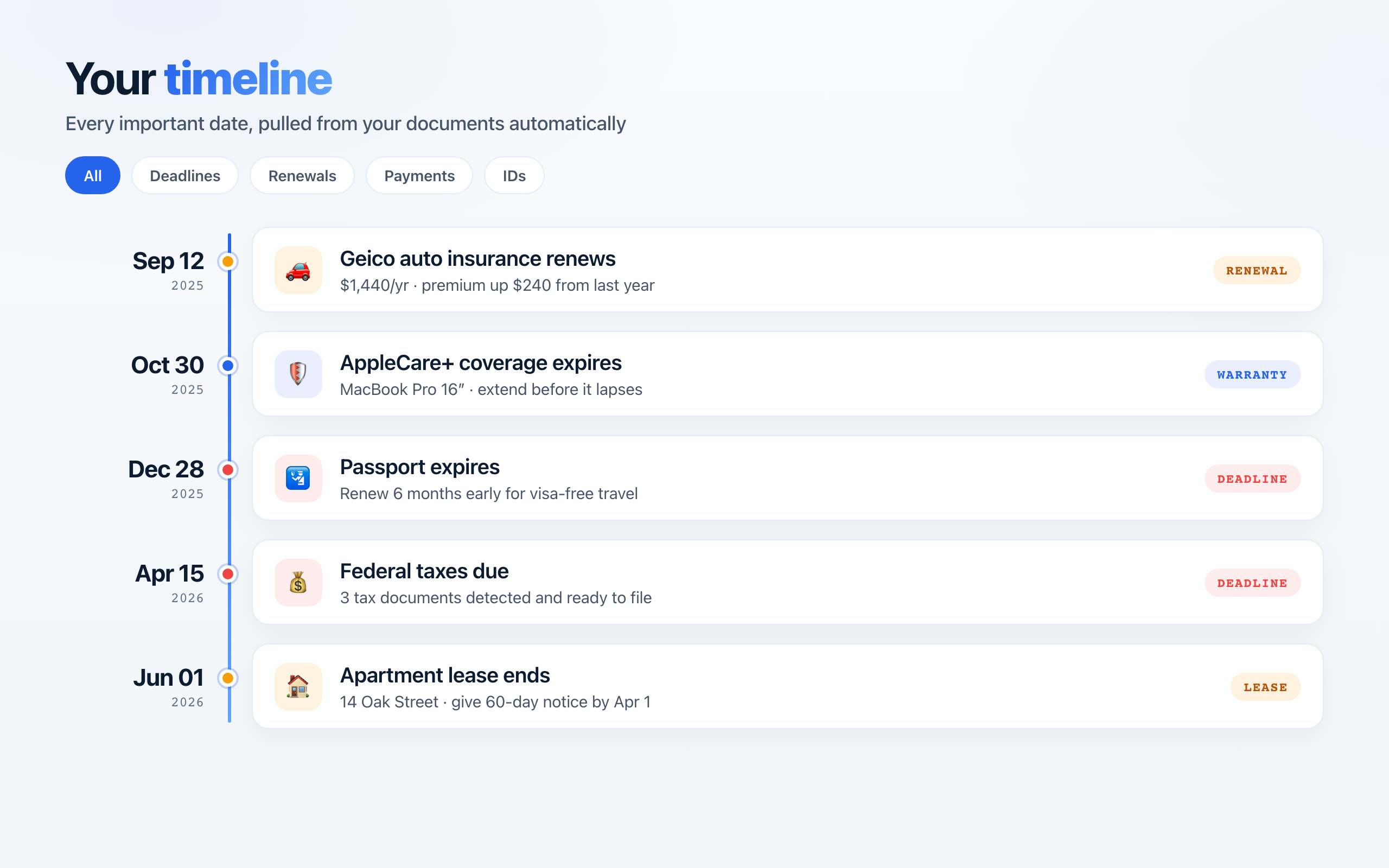
Every deadline on one page
Leases, renewals, insurance, warranties, payments: the dates come out of your documents and onto one timeline, most urgent first.
- Pulled from your files
- Sorted by urgency
- Filter by type
- Opens the source page
Acme Realty · Lease ends
Quarterly tax payment
Home insurance renewal
Driver's license · Renew
Cryptic filenames, fixed in one pass
scan001.pdf, IMG_2293, doc_final_v2: DocBox reads what's inside and suggests a clear name for each. Review, then apply a whole folder at once.
- Named from the content
- A whole folder at once
- Nothing changes until you say
- Your originals, just clearer
Answers cited to the page. Numbers become charts.
Ask across everything, one folder, or one file. Totals come back as a chart; when the answer isn't in your files, it says so.
- Cited to file and page
- Bar and line charts
- Scope to a file or folder
- Won't invent what isn't there
- Corrections that stickFix a date or amount once; it survives every re-index.
- A record for every fileOne-line brief, key facts, dates and related documents.
- Reads scans and photosThree OCR engines take turns until the text comes out.
- Connects the dotsThe same vendor or person, recognised across every folder.
One workspace. Three ways to run it.
Most apps decide for you. DocBox hands you the dial. Turn it and watch where your data goes.
An on-device model through Ollama. Nothing leaves your machine, so medical, financial and legal files are as private as the folder they sit in.
Network Lock snaps any mode back to fully local and blocks every outbound call.
Runs on what you already have.
- 16 GB of RAM
- 32 GB is comfortable for local models
- macOS 12+ or Windows 10+
- Apple Silicon, Intel, AMD
- Any GPU or none
- Auto-detected; falls back to CPU
- 2 GB of disk
- 10 GB with local models installed
DocBox checks your RAM at launch and won't start below 16 GB. Local mode needs Ollama, a free separate install.
What's new in 1.0.15
Shipping now on macOS. The Windows build follows.
Home reads like a brief
Home opens with a short written note about your week: what is overdue, what is due next, what renews. Every line names the document, the date and the amount behind it.
The next 90 days on one track
Upcoming dates sit on a single horizon with month bands and a marker for today. Anything overdue turns the track red, and past dates are summarised underneath instead of crowding it.
Handle it, or put it back
The Needs you list gives each item the action it deserves, open, ask, or mark paid, and one undo. What you handle stays handled, even after the folder is indexed again.
Download DocBox AI
Free. Local-first. No account.
Installs in minutes. Runs offline in local mode. Uninstalling never touches your files.
macOS 12+ · Windows 10+